Choose
Browse Simple or Medium alankars and open an exercise.

Choose an alankar, set your Sa and tempo, and practise alongside clear swaras and a steady beat.
Browse Simple or Medium alankars and open an exercise.
Select your thaat, pitch, speed and sound.
Press Play from start and follow the highlighted swaras.
Use the category list to choose Simple or Medium exercises. Search for an exercise or a swara pattern, then open the card you want to practise.
The list gives an ascending and descending preview. Open a card to read the full Aroha and Avaroha. Triangle exercises keep their triangle arrangement.
For your first session, choose a simple ascending and descending pattern, leave one note per beat selected, and begin at a comfortable slow tempo.
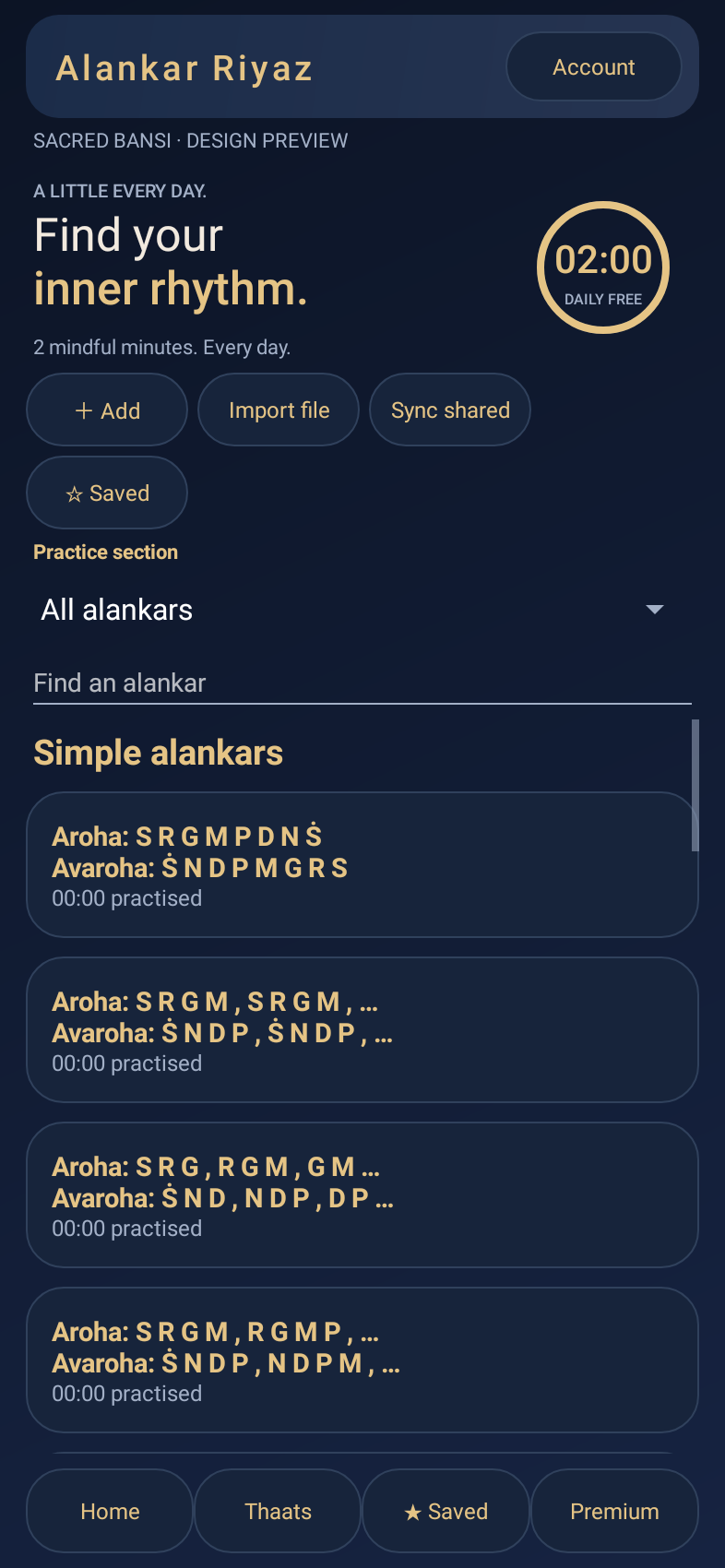
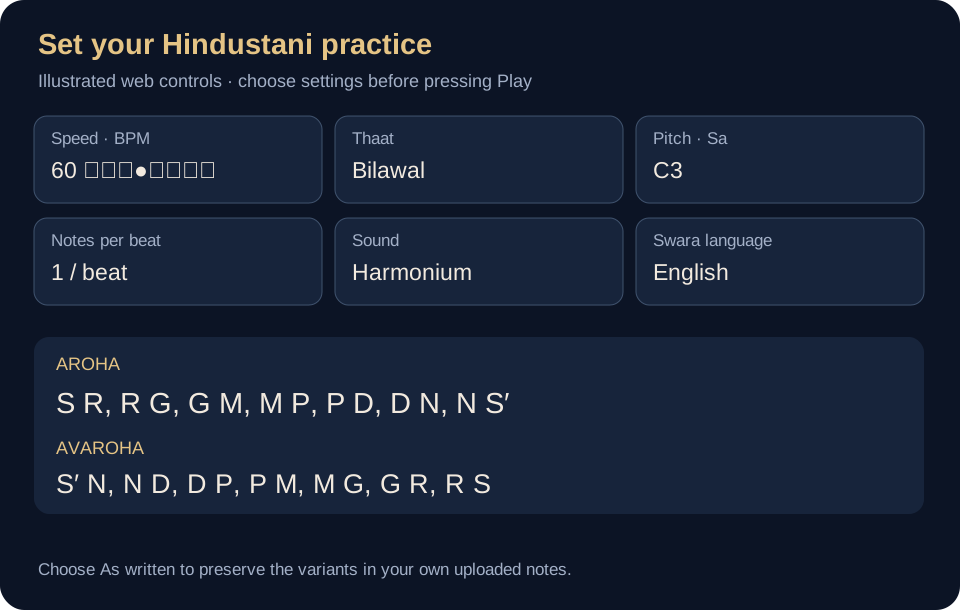
| Control | How to use it |
|---|---|
| Speed · BPM | Move the slider or enter a number from 30 to 300. BPM sets the beat speed. |
| Thaat | Choose one of the 10 thaats to adapt the notes. Choose As written when you want to keep the exact variants in your custom notation. |
| Pitch · Sa | Choose the pitch of Sa that suits your voice or instrument. This changes the sound reference, not the pattern of the exercise. |
| Notes per beat | Choose 1, 2, 3 or 4. More notes per beat makes the swaras move faster without changing the metronome BPM. |
| Sound & volume | Choose Harmonium or Violin. Set the app volume and your device volume to comfortable levels. |
| Swara language | English is selected by default. Options include Hindi, Kannada, Bengali and other regional scripts. |
| Notation size | Choose Normal, Large or Extra large to make Aroha and Avaroha easier to read. |
Turn Loop off to play through once. Turn Note sound off to practise against the metronome alone, or turn Metronome off to hear only the swaras.
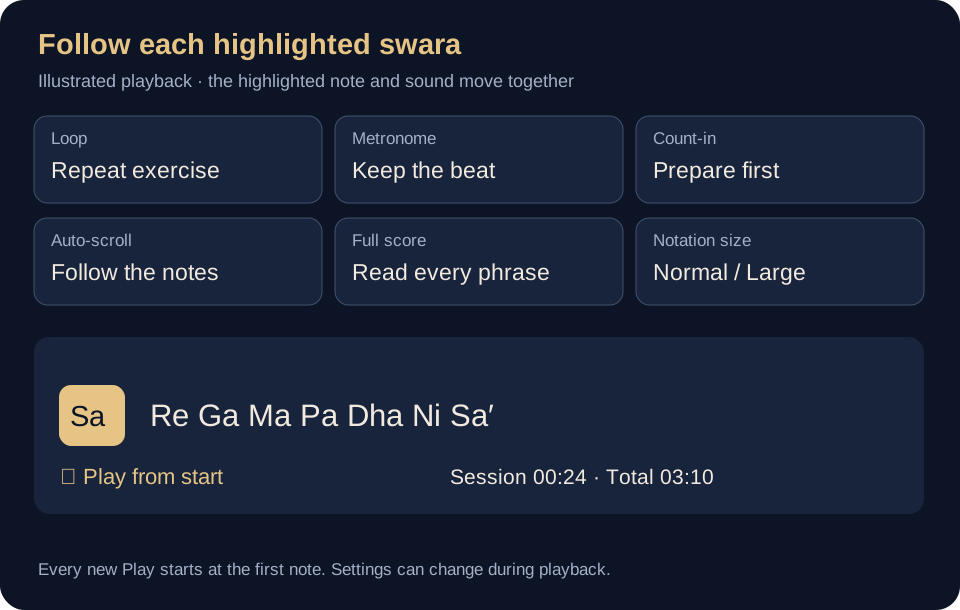
Open an exercise and select ☆ Favourite. Use the Favourites filter on the library page to see saved choices. Select the star again to remove an item.
Favourites are kept on this browser or device. Sign in with the account you normally use before saving your personal list.
Select + Add to write a personal exercise. Edit / copy creates your own version of a library exercise. Export downloads a JSON backup; Import can bring a supported JSON or text file back into the app.
Custom exercises and practice totals are local. Export important exercises before changing devices, reinstalling the app or clearing browser data. Web imports must be smaller than 256 KB.
Select + Add, enter a title, and fill the Aroha and Avaroha boxes separately. Put spaces between notes and a new line between phrases. A vertical bar can separate groups.
AROHA:
S R | R G | G M | M P | P D | D N | N S'

AVAROHA:
S' N | N D | D P | P M | M G | G R | R S
In the Add editor, copy only the notes into each matching box. For text-file import, save the complete example with its labels as a .txt file.
Use S R G M P D N for shuddha notes, r g d n for komal notes, and M^ for teevra Ma. An apostrophe raises the octave, as in S'; a comma attached to a note lowers it, as in 'S. Komal swaras display an underline, and teevra Ma displays a vertical mark above Ma.
For text-file import, include the labels AROHA: and AVAROHA: before the corresponding notes. Select As written if your own komal and teevra variants must be preserved.
All practice features are available for two minutes daily on your device or browser, without login. The allowance resets at midnight, India time. Signing out does not reset that day’s used minutes.
Open Account and continue with Google or your registered email. Verify your email if asked. From Sacred Bansi, each practice app offers ₹199/month or ₹1,999/year. Hindustani and Carnatic have separate subscriptions; the same login can be used on web and Android.
Refresh payment status after a payment if access is still pending. Account also shows membership and renewal controls. Complimentary access granted by Sacred Bansi is recognised after signing in with the matching verified email.
Open the web app online once so its app files and exercises can be cached. Internet is needed for sign-in, payment, library sync and checking paid access when opening. After verification, keep the page open to practise cached exercises offline until the verified access expires.
On iPhone or iPad, use Safari → Share → Add to Home Screen. On supported Android or desktop browsers, use Install.
The Android APK supports playback with the screen off. Web browsers may pause audio when locked or in the background; keep the page visible and use Keep screen awake when available.
This is intentional. Each new Play starts from the first note so you can repeat the entire exercise consistently.
No. It changes the written swara labels. Pitch, note encoding and playback stay the same; English is the default.
Favourites, custom exercises and practice history are saved locally. A shared subscription does not automatically transfer those local lists. Export your custom exercises to keep a backup.
Press Play yourself, enable Note sound, raise the app and device volumes, and check headphones or Bluetooth output. On the web, keep the page in the foreground if your browser suspends audio.
Sign in with the same verified email used for the payment and refresh membership. Hindustani and Carnatic purchases unlock their own app only. Avoid paying again while confirmation is pending.
Open the app and take your first small step.
In Alankar Riyaz, choose + Custom raga beside the thaat controls. Enter a name and separate Aroha and Avaroha paths. Use spaces between swaras: shuddha S R G M P D N; komal r g d n; teevra M^; upper octave S'; lower octave 'S. Example Shivranjani: S R g P D S' and S' D P g R S. Enter 2–64 notes per path, without rests or hold commas. Repeated and omitted swaras are supported.
Save & use selects your raga. Custom ragas open with only their entered Aroha and Avaroha. Enable Show all alankars to explore automatically generated patterns, including ragas with different or vakra paths. These patterns may be wrong for the raga: review them before practising. Thaats keep their normal alankar lists.
Open an exercise and choose Correct for me. Sign in, edit its Aroha and Avaroha, then save. Your correction applies only to that account, that thaat/raga definition and that alankar, and plays exactly as entered. Other scales, users and the shared library are unchanged. Restore original for me removes only that correction. Corrections stay on the phone or browser where they were saved and do not sync between devices. Guest practice is still available without login.
Reopen Custom raga to edit or delete a saved raga. Changing its paths starts a separate set of personal corrections for the new definition.